How Treasure Coast Businesses Can Stop Phishing Attacks
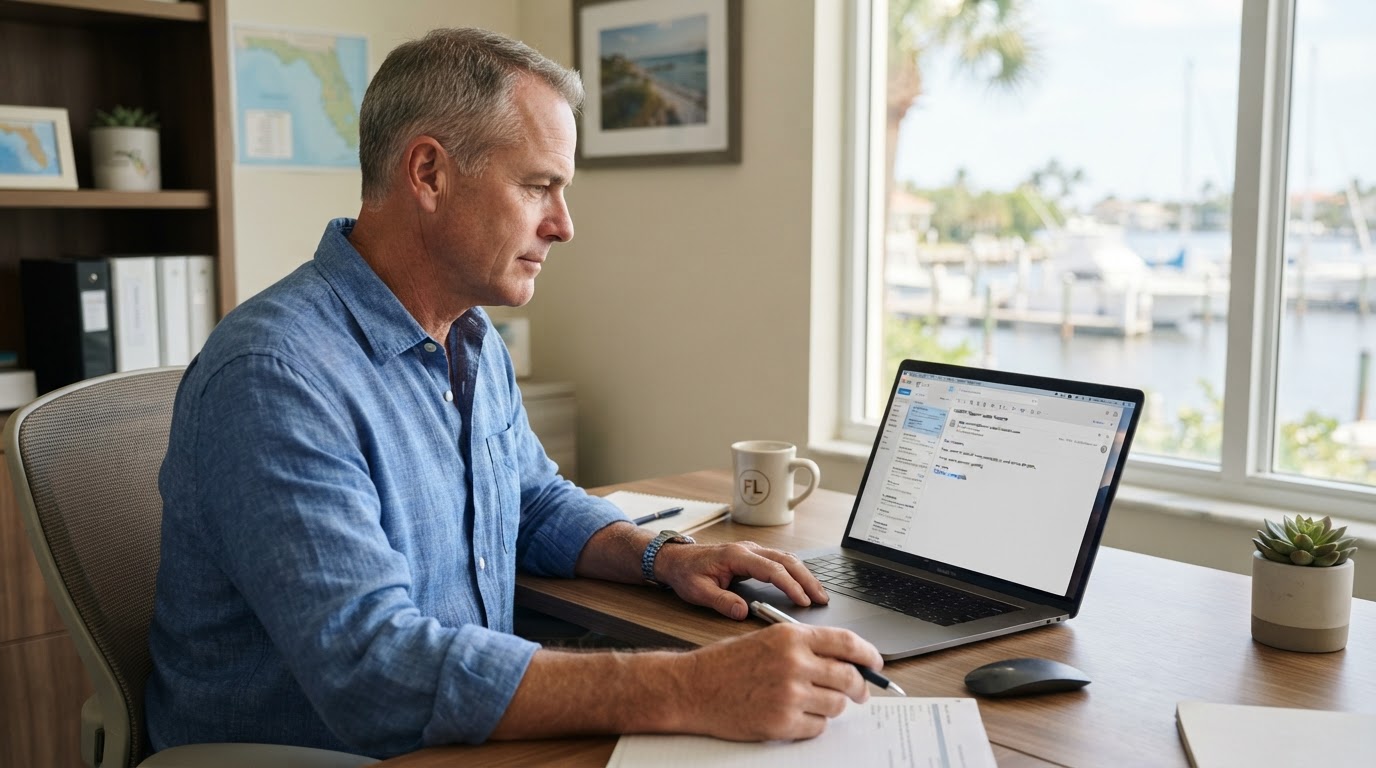
A Treasure Coast office gets a familiar-looking invoice, shipping notice, or vendor message and is asked to click, sign in, or change a payment. Some of those messages are real. Some are not.
Phishing and spoofing were the most reported crime type in the FBI Internet Crime Complaint Center 2025 annual report, with 191,561 complaints nationwide. IC3 also recorded 12,016 phishing and spoofing victims in Florida and about $12.2 million in reported losses. Offices in Stuart, Port St. Lucie, Fort Pierce, and Vero Beach can reduce that risk with email filtering, multi-factor authentication, regular staff training, and a rule to verify payment changes by phone.
Those figures come from the FBI IC3 2025 Internet Crime Report and the 2025 Florida IC3 state tables. They are reported complaints and reported losses, not a complete count, and they are not broken out for the Treasure Coast.
This article is general information, not legal or insurance advice, and no set of controls can promise that a phishing attempt will never get through.
Reviewed by Rich Timmons, Founder and CEO. Last reviewed: November 28, 2026.
What does a phishing email usually ask a business to do?
Phishing is a message built to get someone to click a link, open an attachment, or hand over a password or payment. It usually arrives as email, but the FBI also counts unsolicited text messages and phone calls under phishing and spoofing. The messages are designed to look routine: an invoice, a shipping notice, a shared document, or a note from a vendor you already pay. Look for urgency or pressure to act right now, a request for payment or a login, and small differences in the sender address or domain. Hover over any link to see the real destination before you click. If a message could be real, do not use the link or phone number in it. Contact the sender another way, using a number or address you already have on file. CISA also notes that perfect grammar no longer proves a message is real. In 2025, the FBI Internet Crime Complaint Center received 191,561 phishing and spoofing complaints, the most of any crime type it tracks. That is a count of reports, not a measure of dollars lost. Nationally, phishing and spoofing showed $215,843,126 in reported losses. Business email compromise, covered in the next section, accounted for far more of the reported dollar losses. Do not read the lower phishing dollar total as a sign that phishing is the smaller risk. Because each IC3 complaint is filed under one crime type, money lost after a phishing message may be recorded under a different category. These reports also do not break out Stuart, Port St. Lucie, Fort Pierce, or Vero Beach, so use them as a statewide and national signal, not a local count.
How is business email compromise different from a typical phishing message?
Phishing is the broad bait: a message designed to trick someone into clicking, logging in, or sharing information. Business email compromise is often the payoff. The FBI describes it as a scam that targets businesses that regularly make payments, using a compromised mailbox or a look-alike message to cause an unauthorized transfer of funds. A phishing email is one way a BEC attempt can start. The message may come from a look-alike address, or from a real mailbox the attacker already controls. In the 2025 IC3 Annual Report, business email compromise drew 24,768 complaints and about $3.05 billion in reported losses nationwide. Florida 2025 IC3 state report listed 2,025 BEC victims and about $187.3 million in reported losses. Florida also ranked third among states for total IC3 complaints (71,843) and reported losses (about $1.60 billion). Those figures are complaints people chose to file. They are not a complete count, and they are not limited to small businesses. For the full walkthrough of how these payment-change scams work, see what business email compromise is.
Which controls help a small Treasure Coast office reduce phishing risk?
Start with three practical layers that fit most Treasure Coast businesses of 5 to 250 people. They are part of everyday managed IT and cybersecurity services. They do not require a large security team. They do require someone to set them up correctly, monitor them, and keep them current. No single layer catches everything, so each one covers for the others.
Email filtering checks incoming messages for signs of trouble, such as known bad senders, mismatched sender addresses, and suspicious links or attachments, and holds or blocks the ones it flags. It can keep many known-bad messages out of the inbox, but some will still get through, especially targeted business email compromise that has no malware and looks like a normal request. Check that filtering is on for every mailbox, including shared mailboxes and seasonal staff, and that someone reviews held or quarantined mail on a regular schedule so real mail is not delayed. Your IT provider can also confirm whether your sending domain email authentication records are in place, so it is harder for others to pose as you. Our email authentication page explains the basics.
A password on its own is not enough. Multi-factor authentication adds a second proof of identity, so a password typed into a fake page is much less useful on its own. MFA can add a barrier and can stop many account-takeover attempts, but it does not make an account impossible to compromise. Some phishing attempts try to capture a code or prompt as well. Not all methods are equal. CISA ranks security keys and authenticator apps as stronger options, and calls text or email codes the weakest form, to be used only when nothing stronger is available. Start with email, remote access, and administrator accounts, then cover everyone else. Our guide to why MFA is important explains the methods in plain language, and a Microsoft 365 security assessment is a free way to see how your email sign-in is set up.
People are the last line of defense, so give them a simple routine they can follow when they are busy: slow down when a message presses for urgency, check the sender and the link before clicking, never use the contact details in the message, and tell your office manager or IT provider even if nobody clicked. A short, practical session each quarter, with a brief reminder after any close call, is a solid habit for most offices. Keep the examples close to the work the team actually does, such as a fake invoice or a payment-detail change. Training is a practice, not a guarantee, and it works best alongside filtering and multi-factor authentication. Titan offers security awareness training as a service, with those short, realistic examples, and no special software name is required to get started. A quick way to see where you stand is our cybersecurity posture quiz.
These controls are included in Titan managed service plans when they are part of your agreement. The right mix depends on what you already have in place.
How should we verify a vendor invoice or bank-detail change?
Many phishing and business email compromise attempts end in one of two requests: sign in here, or change where we send the money. The same habit defends against both. Confirm the request through a number or channel you already have on file, not the one in the message, and never reply to the message itself. Businesses that pay large invoices on a schedule give a fake payment-change email a lot to work with. That includes construction and marine companies, accounting firms, law offices, and medical and dental practices. A few rules that cost almost nothing:
- Require a call-back to a known number before changing any vendor's bank details.
- Have a second person approve any change to payment instructions.
- Treat "we changed banks, use this new account" as a reason to stop and verify.
- Put the rule in writing so it applies even when a large invoice is due or the request sounds urgent.
For more on how these scams work, see what business email compromise is and our guide to vendor payment fraud in construction. Accounting firms facing a busy filing season can start with tax season cyber prep for CPA firms. Phishing is also one of the ways ransomware can get in, which we cover in how small businesses get hit with ransomware.
What should we do in the first hour after someone clicks a bad link?
Speed matters more than blame. Make it easy for staff to speak up.
- Tell your IT provider or office manager immediately.
- Disconnect the device from the network if you can, then change the password from a different, trusted device.
- Sign the account out of all sessions, and look for unexpected forwarding rules, new mailbox delegates, or unusual sign-in locations. Review recent sent mail and payment activity.
- Do not approve any unexpected multi-factor prompts. Our guide to why MFA is important covers what those prompts can mean.
- If money or payment details were involved, call your bank right away and ask them to try to recall the payment. A recall is not guaranteed.
- Report the incident to the FBI's Internet Crime Complaint Center at https://www.ic3.gov, and keep copies of the emails, headers, and any payment records.
- If client or customer information may have been exposed, find out what you must do next. Florida has a data breach law with notice deadlines. Our guide to Florida's data breach law for small businesses is a starting point, and an attorney can advise on your situation.
Why are law firms, medical offices, and contractors frequent targets?
The technique is usually the same. The impact can be higher because of the work these offices already do. Law firms, medical and dental practices, and accounting offices hold client or patient records that a single successful message can expose. Construction firms and other contractors often pay large vendor invoices, which makes a fake bank-detail change especially costly. That is process risk, not a claim about any one local incident. Those offices still need the same three layers, plus written rules for how sensitive information is shared and how payment changes are verified.
Do Florida storm season and tax deadlines change the phishing picture?
They can change the timing, not the basic method. After a storm, offices often receive messages that appear to come from insurance companies, restoration contractors, or government agencies. Some are legitimate. Others are not. A similar wave of urgent requests shows up around tax deadlines, when accounting firms in Stuart and Port St. Lucie are already moving a high volume of documents and payments. Invoice-change requests also tend to arrive just before a large payment is due. Treat those periods as common risk windows, not as a reason to skip the call-back rule. If a message does get through and leads to a lockout, a wired payment, or a suspected breach, Florida's data breach law can start a short notice clock. Read our Florida data breach law guide so that plan is not being written during the incident.
What Titan can and cannot do
Titan can: review how your email and sign-in are set up, put practical controls in place, provide security awareness training, document what is in place, and help keep it current as staff and vendors change. Titan does not: promise that a phishing message will never reach or fool someone. Reducing risk takes the layers above working together. This article is not legal advice.
Not sure where your email security stands?
Start with a Free IT and Access Review. In a free 30-minute review, we go over your email and account security and who has access to what. Then we tell you in plain language what is already in place and what is missing. Prefer to talk it through? Call us at 772-279-6180.
Want a lighter first step? The Cybersecurity Posture Quiz takes about 5 minutes. You can also request an email and sign-in security assessment, or compare the Managed Service Plans that include these controls.
Frequently asked questions
How do I know if an email is phishing?+
Look for urgency, a request for a payment, password, or login, and small differences in the sender address or domain. Hover over any link to see the real destination before you click. Do not reply to the message or use a phone number printed in it. When in doubt, call the sender using a number you already have on file.
Does multi-factor authentication stop phishing?+
MFA does not stop phishing itself, and it does not make an account impossible to compromise. If a password is entered on a fake site, MFA can add a barrier the attacker must still overcome, and it can stop many account-takeover attempts. It does not stop every risk. Some attacks use impersonation rather than a stolen login, so email filtering and staff training still matter.
What should we do if someone already clicked a link?+
Disconnect the device from the network if you can, then change the password from a different, trusted device. Sign the account out of all sessions and look for unexpected forwarding rules, new mailbox delegates, or unusual sign-in locations. Review recent sent mail and payment activity. Tell your IT provider right away, and do not approve any unexpected multi-factor prompts.
Is phishing different for law firms or medical offices?+
The technique is usually the same. The impact can be higher because a successful message may expose client or patient records, or redirect a large payment. Law firms, medical and dental practices, accounting offices, and contractors still need email filtering, multi-factor authentication, and training, plus written rules for how sensitive information is shared and how payment changes are verified.
How often should we train staff?+
A short, practical session each quarter, with a brief reminder after any incident or local scam report, is a solid practice for most small offices. Keep the examples close to the work the team actually does, such as a fake invoice or a payment-detail change. Training is a habit, not a guarantee, and it works best alongside filtering and multi-factor authentication.
What is business email compromise?+
Business email compromise is a targeted scam in which someone impersonates a trusted executive, coworker, or vendor and asks an employee to send money, change bank details, or share sensitive information. The message may come from a look-alike address or from a real mailbox the attacker already controls. In the FBI IC3 2025 report, Florida had 2,025 reported BEC victims and about $187.3 million in reported losses.
How should we verify a vendor's request to change bank details?+
Do not reply to the email or use a phone number or link in the message. Call the vendor or colleague using a number you already have on file, and confirm the change before any payment goes out. Treat urgency as a warning sign, not a reason to skip the call. Put this rule in writing so it applies even when a large invoice is due.
Should we report a phishing incident to the FBI IC3?+
Yes, especially if money moved, credentials were entered, or a business account was misused. File a complaint at ic3.gov as soon as you can, and keep copies of the emails, headers, and any payment records. If a wire or ACH payment already went out, call your bank first and ask them to try to recall it. Reporting helps investigators and creates a record of the incident.
Does email filtering catch every phishing message?+
No. Filtering can keep many known-bad messages out of the inbox, but some will still get through, especially targeted business email compromise that has no malware and looks like a normal request. Review the quarantine folder on a regular schedule so legitimate mail is not delayed. Filtering is one layer. It works with multi-factor authentication, training, and payment-verification rules.
Is a text-message code as strong as an authenticator app?+
A text-message code is better than a password alone, but it is generally not the strongest method. Text codes can be intercepted or redirected through SIM swapping. An authenticator app on a registered device is stronger in most cases because the code is not sent over the phone network. For higher-risk accounts, phishing-resistant options such as passkeys or security keys are stronger still.
Sources & further reading
IC3 figures are based on complaints submitted to the FBI and reflect only what was reported. Figures are for calendar year 2025.
FBI Internet Crime Complaint Center
2025 IC3 Annual Report
View sourceFBI Internet Crime Complaint Center
2025 Florida IC3 Annual Report
View sourceCISA
Require Multifactor Authentication
View sourceCISA
Recognize and Report Phishing
View sourceNIST
Small Business Cybersecurity Corner
View sourceThis article is general information, not legal or insurance advice.
Got a suspicious email in your inbox right now? Don't click it. Call us at 772-279-6180, or start with a Free IT and Access Review.